QR Code Security: How to Avoid Quishing & Stay Safe in 2026
Protect yourself from QR phishing attacks (quishing). Learn how cybercriminals exploit QR codes and discover essential safety tips for scanning securely.
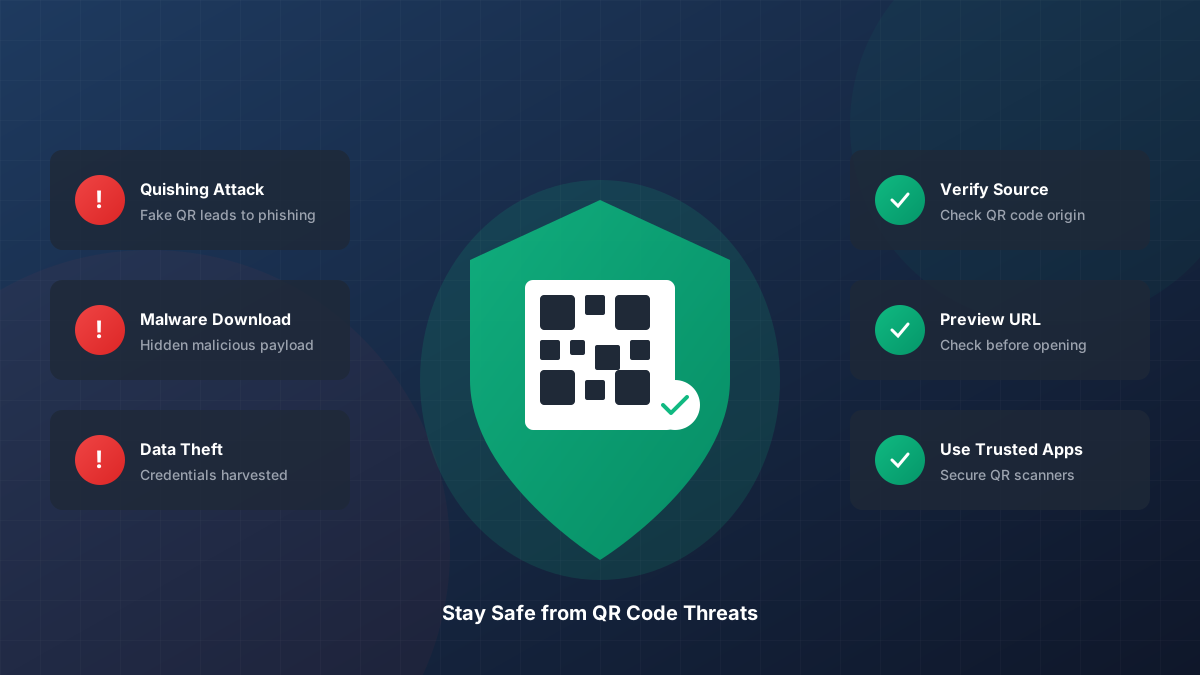
As QR codes become ubiquitous in our daily lives—from restaurant menus to payment systems—cybercriminals have developed sophisticated attacks to exploit this technology. Quishing (QR phishing) has emerged as a significant cybersecurity threat in 2026, making it essential for everyone to understand the risks and protective measures.
This guide explains how QR code attacks work, the psychology behind them, and provides actionable security tips to keep you safe in an increasingly scanned world.
Critical Warning for 2026:
Security researchers have noted a 400% increase in AI-Optimized Quishing. Attackers now use machine learning to generate QR codes that bypass standard mobile camera filters and visual inspection bots by mimicking legitimate brand signatures.
The Technical Anatomy of a Scan
To understand the risk, you must understand the tool. A QR (Quick Response) code is a matrix barcode that uses four standardized encoding modes (numeric, alphanumeric, byte/binary, and kanji) to store data efficiently. However, the data it stores is just a string of characters—usually a URL.
When your mobile device scans a code, it uses a process called Reed-Solomon Error Correction. This allows the code to be read even if part of it is damaged. While a miracle for logistics, this error correction is a hidden vulnerability: attackers can deface a small portion of a legitimate code and replace it with a malicious pattern (like a sticker overlay) without breaking the scanability of the overall square.
What is Quishing? (Deep Dive)
Quishing is the dark side of QR convenience. Unlike traditional phishing, which relies on a visible (and often suspicious) link in an email, quishing hides the payload within an image. This makes it incredibly effective against automated email security gateways (SEGs) that are designed to scan text, not images.
In 2026, we see multi-stage quishing. The QR code doesn't lead to a malicious site directly; it leads to a benign-looking intermediate page (often a legitimate cloud storage link like Dropbox or Notion) which then hosts the final phishing payload. This "redirection hopping" is designed to exhaust the patience of automated sandbox environments.
The Psychology of the Scan
Why do we scan? Attackers exploit "Decision Fatigue." When you are at a parking meter or a busy restaurant, your primary Goal is to complete a transaction quickly. You are less likely to perform a security audit on a physical sticker than you are on a suspicious email because the physical world feels "tangible" and therefore "safe."
Common QR Code Attack Methods
1. Malicious URL Redirect & SEO Poisoning
The most common attack. A QR code leads to a fake website that mimics a legitimate service. In advanced 2026 variants, these sites use Browser-in-the-Browser (BitB) techniques to show a fake address bar with a lock icon, making it nearly impossible for a layperson to detect the fraud on a small mobile screen.
2. The "Overlay" Attack (Physical Compromise)
Attackers place a malicious QR code sticker over a legitimate one. This is common at EV charging stations and public transit.
Pro Tip: Always run your finger over a QR code before scanning. If you feel the edge of a sticker on top of a smooth surface, it is likely a malicious overlay designed to steal your payment details.
3. Quishing-as-a-Service (QaaS)
Dark web marketplaces now sell "Quishing Kits" that include ready-made fake landing pages for major banks, automatic redirection logic, and even analytics dashboards for the attackers to track their victim's coordinates and device signatures.
Comparison: Real vs. Malicious QR Patterns
| Feature | Safe QR Code | Malicious QR Code |
|---|---|---|
| Physical State | Integrated/Printed on material | Often a sticker overlay |
| URL Structure | Direct, brand-specific domain | Redirects, shortened URLs, or look-alike domains |
| Request Type | Informational or standard pay | High-urgency data requests (SSN, 2FA codes) |
| Scan Destination | Static destination | Can change mid-day via dynamic redirection |
Understanding Error Correction Levels
QR codes use Reed-Solomon error correction to remain readable if damaged. There are four levels:
- Level L: Recovers 7% of data (Low)
- Level M: Recovers 15% of data (Medium)
- Level Q: Recovers 25% of data (Quartile)
- Level H: Recovers 30% of data (High)
At SnapResizer, we generate codes at Level H by default. This high redundancy actually makes codes safer for businesses because it prevents small "glitches" or minor tampering from rendering the code unreadable, ensuring the user always hits the intended (and verified) destination even in suboptimal lighting conditions.
10 Essential QR Code Safety Tips
1. The "Hover" Rule for Mobile
Nearly all modern iOS and Android cameras provide a URL preview when a QR code is detected. Scan but don't Tap. Look at the URL in the small bubble. If it says bit.ly or t.co in a context where you expect a professional brand (like a bank), do not click.
2. Audit the Physical Context
Is the QR code in a logical place? A QR code on a tree in a park asking for "donations" is a massive red flag. A QR code on an official utility bill is significantly safer, but still warrants a quick inspection for stickers.
3. Disable "Open Automatically"
Go to your camera settings and ensure "Show QR Code suggestions" is ON but "Open links automatically" is OFF. This gives you the vital second of observation needed to stop a quishing attack before it loads.
4. Beware of "App Download" Codes
One of the most dangerous quishing types is the one that asks you to install a "security update" or a "required menu viewer." Legitimate businesses will direct you to the official Apple App Store or Google Play Store, they will never ask you to download a standalone APK or configuration profile.
For Businesses: Securing Your Customers
If you are a business owner using QR codes for menus or payments, you have a duty of care to your customers. At SnapResizer, we recommend the Verified Origin Framework:
1. Branded QR Codes
Use our QR Code Branding Tool to embed your logo into the center of the code. While not a foolproof security measure, it makes it much harder for an attacker to slap a generic black-and-white sticker over your professional material without attracting notice from your staff or customers.
2. Short Links on Your Own Domain
Instead of using third-party link shorteners, set up a custom redirect on your site (e.g., yourbrand.com/menu). This ensures that when your customers scan, they see YOUR domain in their camera app preview, boosting trust and conversion.
3. Regular Physical Audits
Assign staff to check QR code placements (on tables, window displays, or outdoor signage) daily. Look for peeling edges, color mismatches, or different paper textures that indicate a compromise.
What To Do If You've Been Quished
If you believe you have scanned a malicious code and entered sensitive information:
- Disconnect: Immediately turn off your WiFi and Mobile Data to stop any background data exfiltration.
- Change Credentials: Using a DIFFERENT device, change the passwords for the accounts you think were targeted.
- Check Sessions: Log into your primary accounts and "Sign out of all other sessions."
- Notify Bank: If you entered payment details, call your bank to freeze your card immediately.
Scan with Confidence
Don't let your brand be a target. Create high-security, Level-H QR codes with our verified branding tools today.
Popular Image Tools
Ready to optimize your images?
Try SnapResizer's free tools today. Secure, fast, and private browser-based processing without the wait.